agence-digitale-film
Parcel template
This project was created with Parcel. For familiarization and setting additional features refer to documentation.
Preparing a new project
- Make sure you have an LTS version of Node.js installed on your computer. Download and install if needed.
- Clone this repository.
- Change the folder name from
parcel-project-templateto the name of your project. - Create a new empty GitHub repository.
- Open the project in VSCode, launch the terminal and link the project to the GitHub repository by instructions.
- Install the project’s dependencies in the terminal with the
npm installcommand. - Start development mode by running the
npm startcommand. - Go to http://localhost:1234 in your browser. This page will automatically reload after saving changes to the project files.
Files and folders
- All stylesheet parshas should be in the
src/sassfolder and imported into the page stylesheets. For example, forindex.htmlthe style file is namedindex.scss. - Add images to the
src/imagesfolder. The assembler optimizes them, but only when deploying the production version of the project. All this happens in the cloud so as not to burden your computer, as it can take a long time on weak machines.
Deploy
To set up a project deployment, you need to perform a few additional steps to
set up your repository. Go to the Settings tab and in the Actions subsection
select the General item.
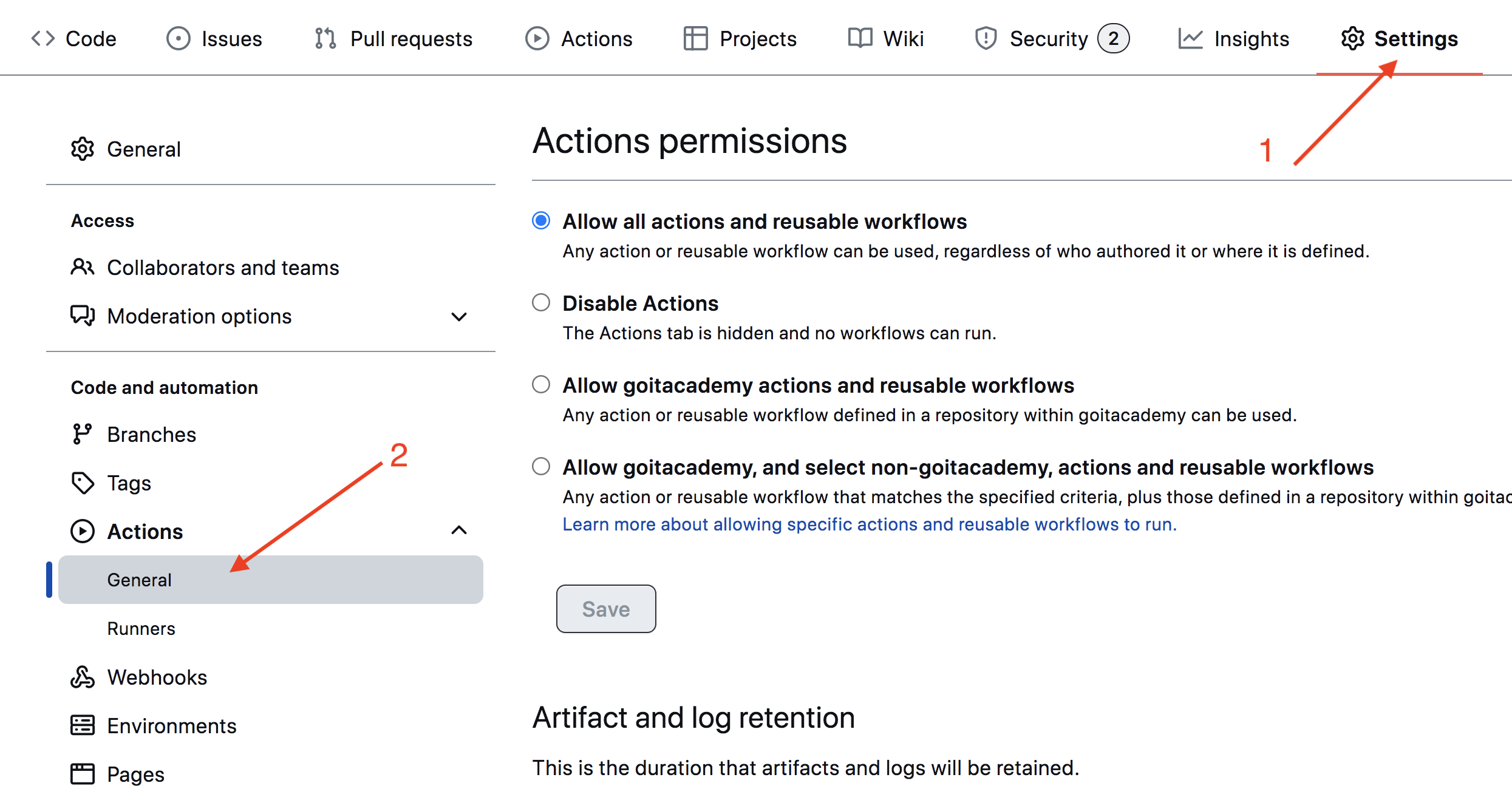
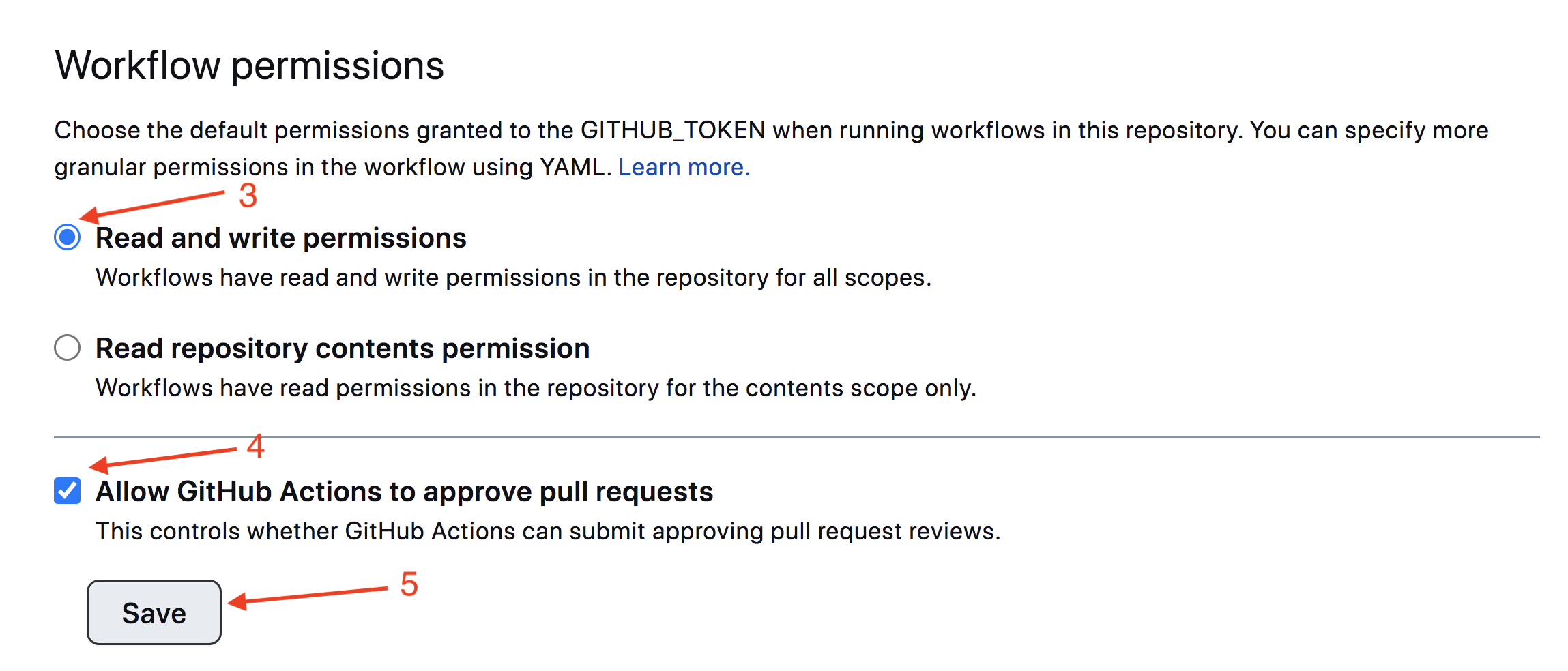
Scroll the page to the last section, in which make sure the options are selected
as in the following image and click Save. Without these settings, the build
will not have enough rights to automate the deployment process.
The production version of the project will be automatically built and deployed
to GitHub Pages, in the gh-pages branch, every time the main branch is
updated. For example, after a direct push or an accepted pull request. To do
this, you need to edit the homepage field and the build script in the
package.json file, replacing your_username and your_repo_name with your
own, and submit the changes to GitHub.
"homepage": "https://your_username.github.io/your_repo_name/",
"scripts": {
  "build": "parcel build src/*.html --public-url /your_repo_name/"
},
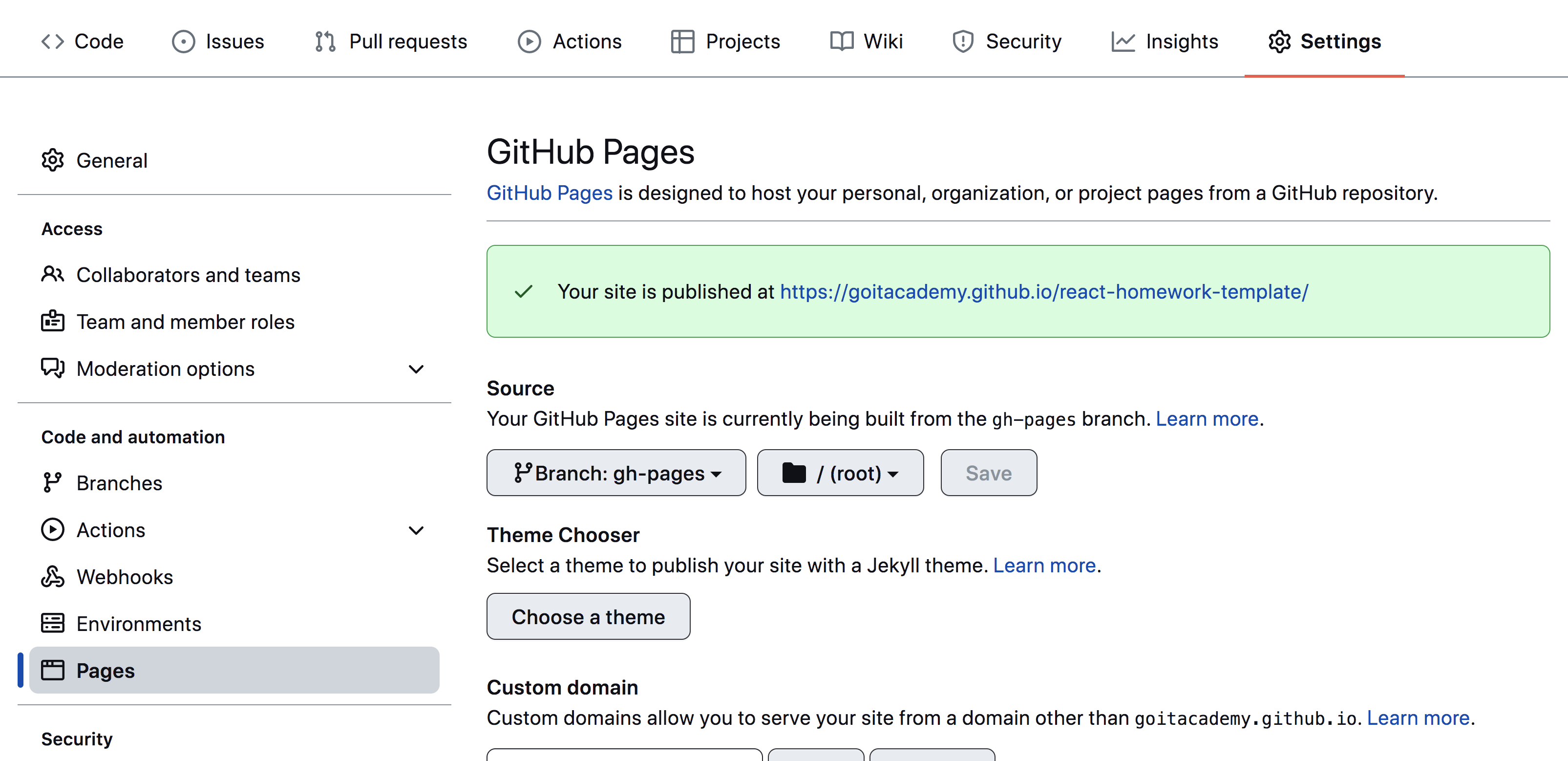
Next, you need to go to the settings of the GitHub repository (Settings >
Pages) and set the distribution of the production version of files from the
/root folder of the gh-pages branch, if this was not done automatically.
Deployment status
The deployment status of the latest commit is displayed with an icon next to its ID.
- Yellow color - the project is being built and deployed.
- Green color - deployment completed successfully.
- Red color - an error occurred during linting, build or deployment.
More detailed information about the status can be viewed by clicking on the
icon, and in the drop-down window, follow the link Details.

Live page
After some time, usually a couple of minutes, the live page can be viewed at the
address specified in the edited homepage property. For example, here is a link
to a live version for this repository
https://goitacademy.github.io/parcel-project-template.
If a blank page opens, make sure there are no errors in the Console tab
related to incorrect paths to the CSS and JS files of the project (404).
Most likely you have the wrong value for the homepage property or the build
script in the package.json file.
How it works
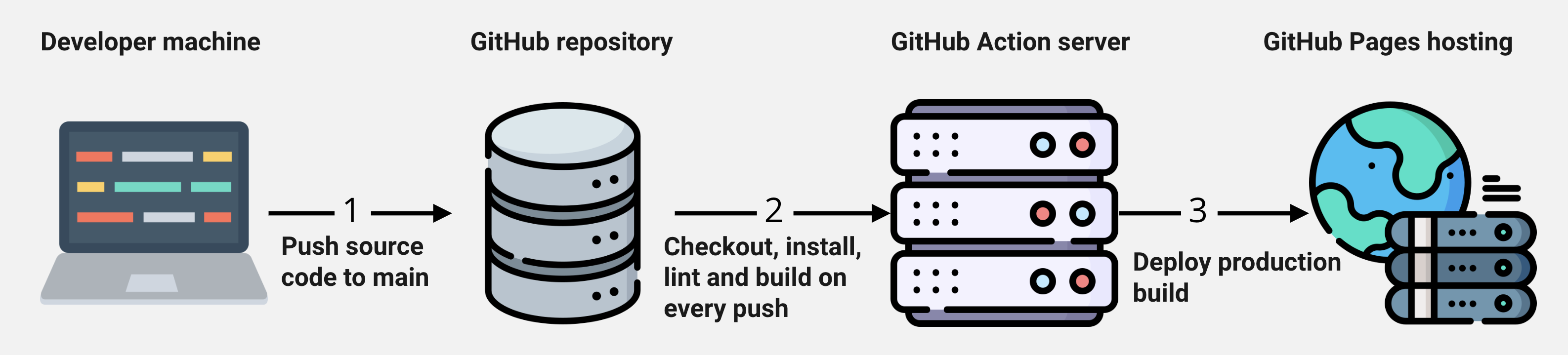
- After each push to the
mainbranch of the GitHub repository, a special script (GitHub Action) is launched from the.github/workflows/deploy.ymlfile. - All repository files are copied to the server, where the project is initialized and built before deployment.
- If all steps are successful, the built production version of the project
files is sent to the
gh-pagesbranch. Otherwise, the script execution log will indicate what the problem is.